Software for martial arts schools

Train. Teach. Run the dojo.

One system for your whole school: belts, curriculum, attendance, testing and memberships — plus the app your students and instructors carry.

Every studentgets the member app, at no extra charge
0%Konjo markup on card processing
NoneContracts or minimum terms

Konjo is built by Galen Jauss — a black belt since high school, and an instructor ever since. The school he teaches at runs its office on a notebook, one big spreadsheet and QuickBooks. Konjo is new: no school runs its entire business on it yet. Your current software keeps running until you have read and approved every section of your new one.

The problem

Your dojo runs on four things that don’t talk to each other.

A spreadsheet, a group chat, a curriculum PDF, and software built for fitness clubs. Each one holds a piece of your school.

The spreadsheet

Attendance in one tab, ranks in another, and the rest in your head. It holds up until someone asks who is ready to test.

The group chat

Announcements scroll away. A student who joined in March never sees the one from February.

The curriculum PDF

A file people lose, on a version nobody is sure about. Updating it means emailing it again.

The membership software

It bills and it books. The requirements for the next rank live in a PDF it has never read.

For the people who train

Your students carry the whole curriculum.

Every student gets their own training record and the material for their rank. Instructors get floor tools in the same app, on the phone already in their pocket.

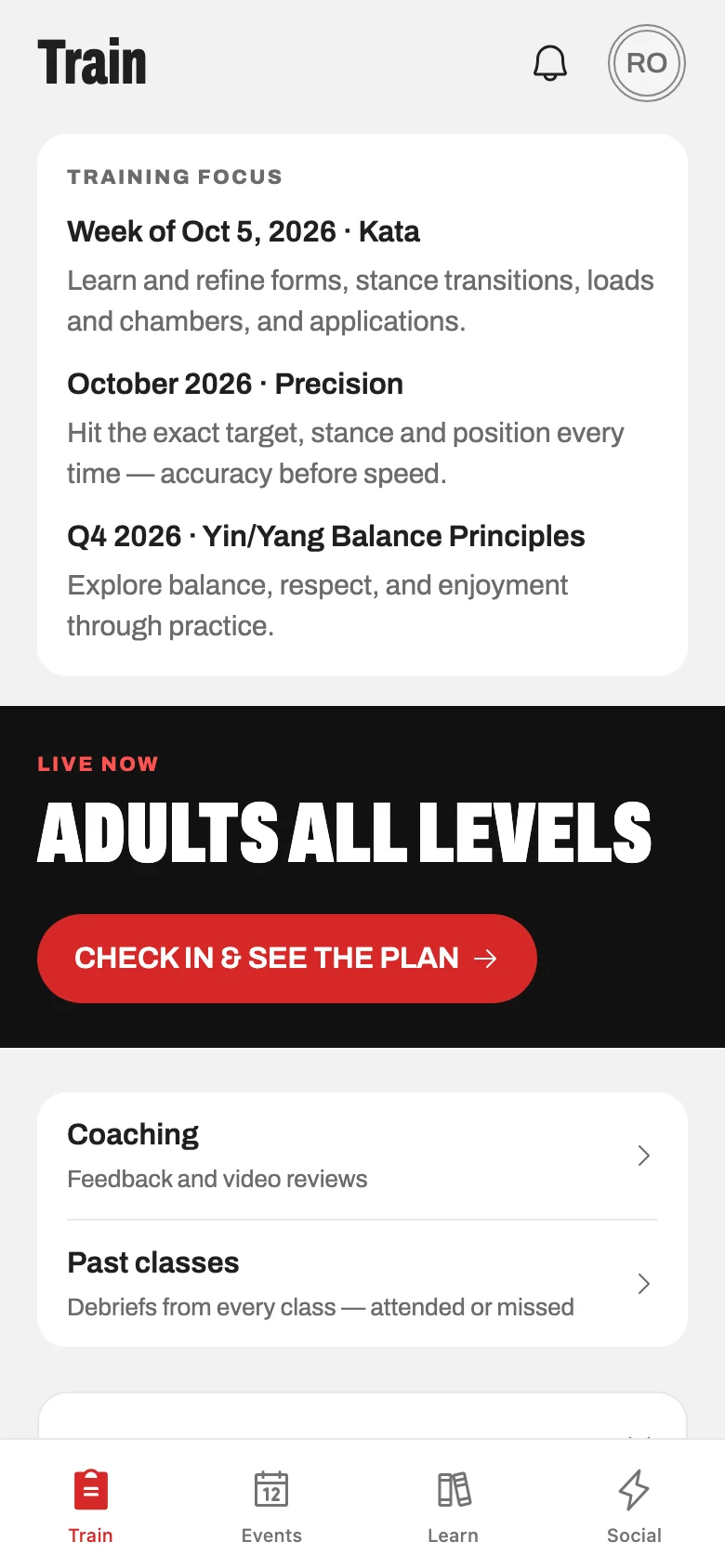
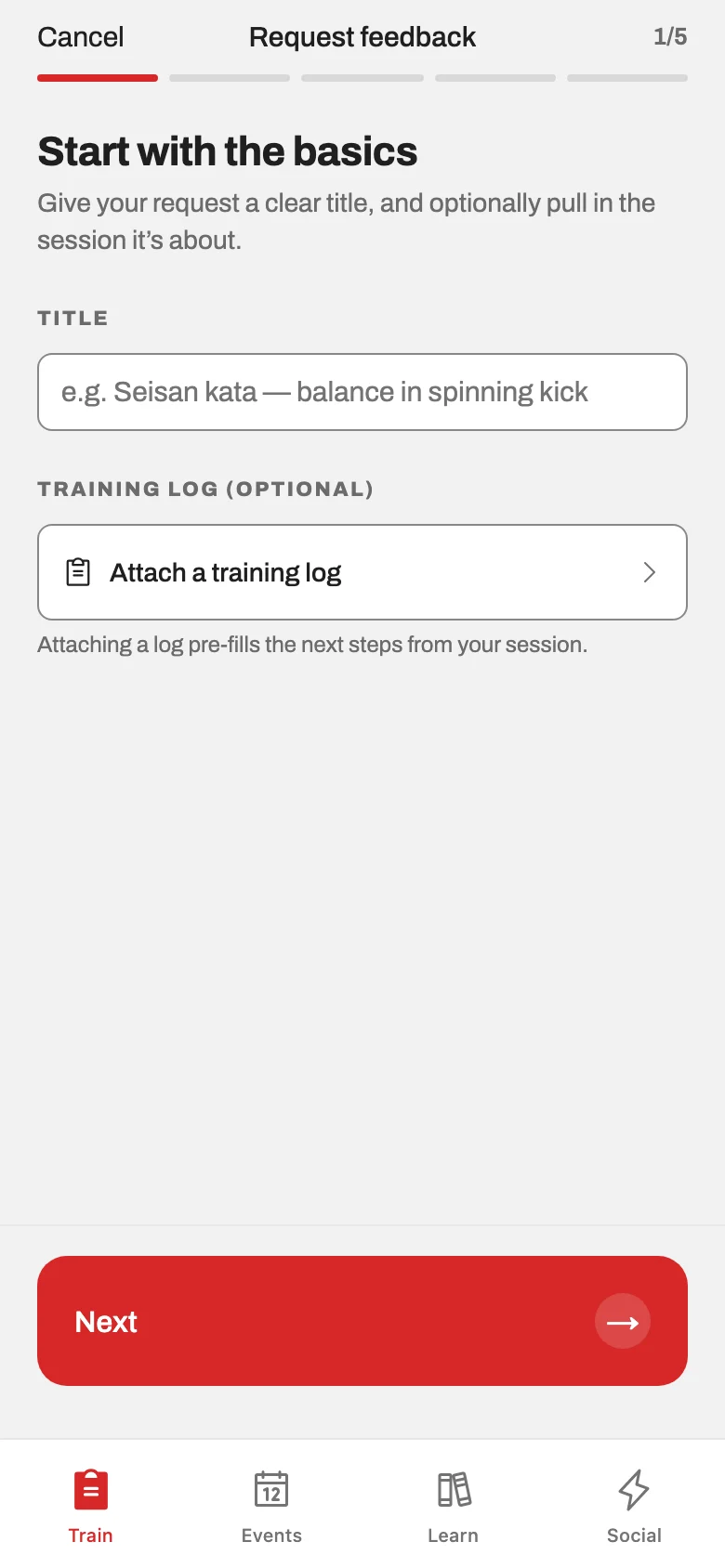
Log what you actually did

A class or a solo session, logged on the way to the car. Over a year it becomes the record of how you got to your next belt.

TrainScreenshot coming soon.

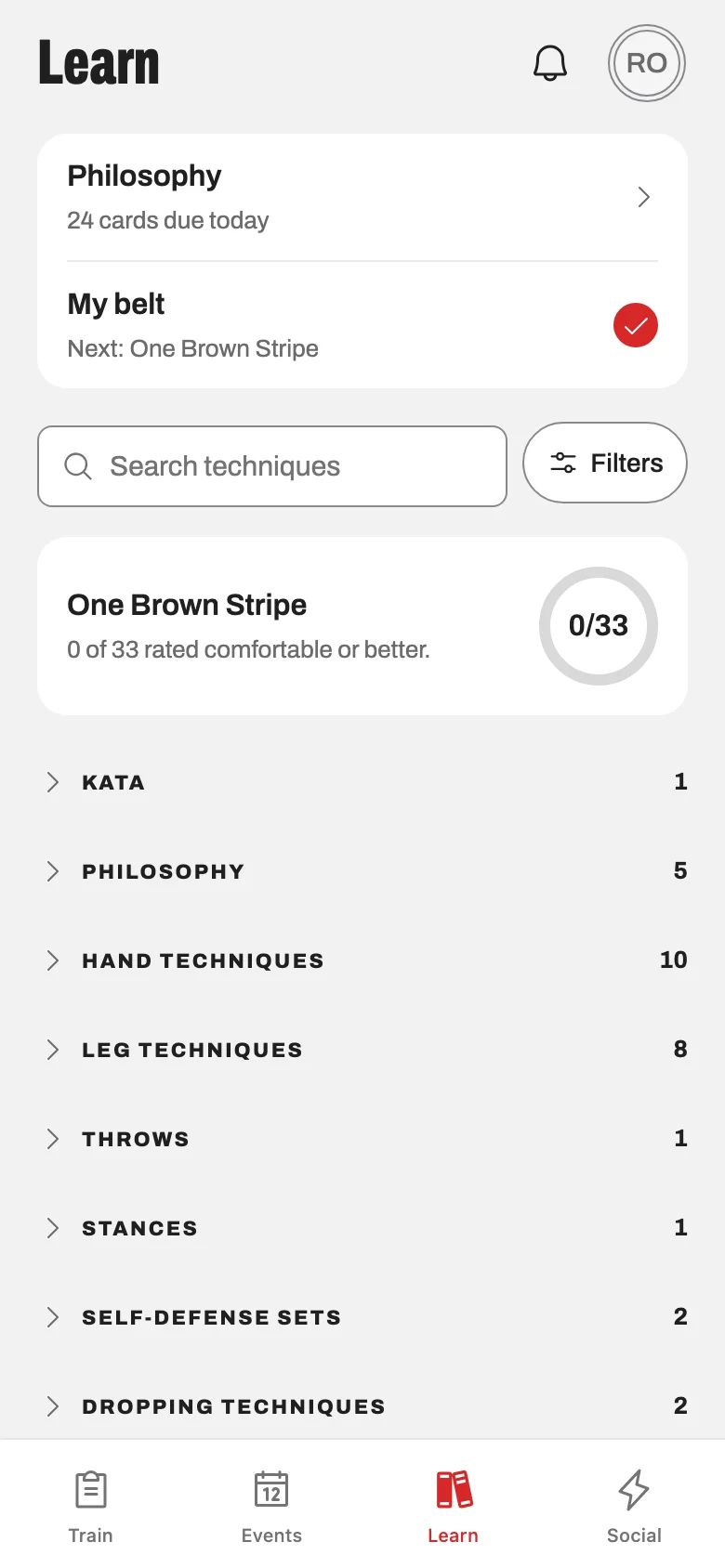
The curriculum for your rank

What this belt requires, with video, and nothing from three ranks ahead to frighten a white belt in week two.

LearnScreenshot coming soon.

Run class from your phone

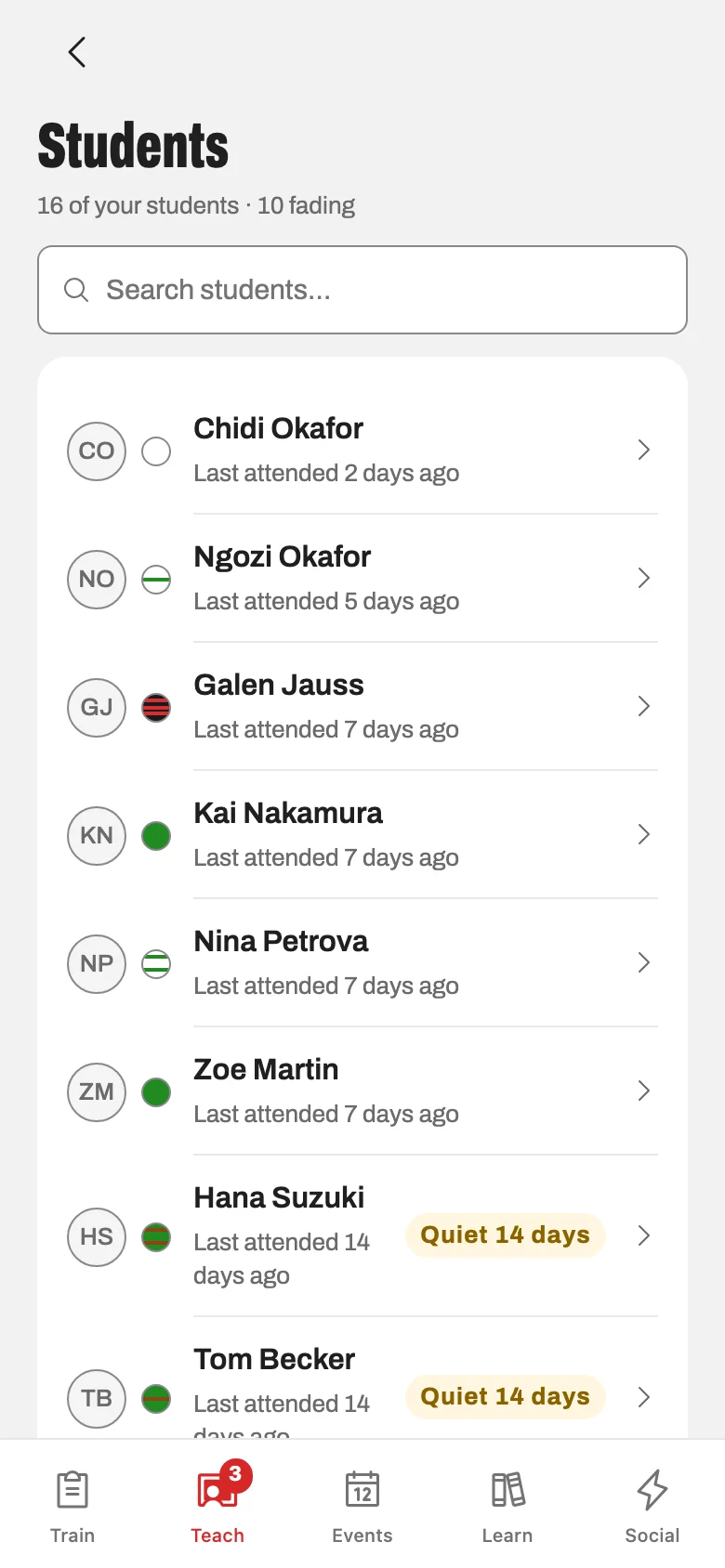
Check the mat in, teach the plan, write the debrief on the way out. Attendance is taken because class happened, not because someone typed it in later.

TeachScreenshot coming soon.
For the people who run the school

Run the school without leaving the desk.

Members, schedule, attendance, testing, memberships, leads and reports in a browser — all built from what your students and instructors already put in.

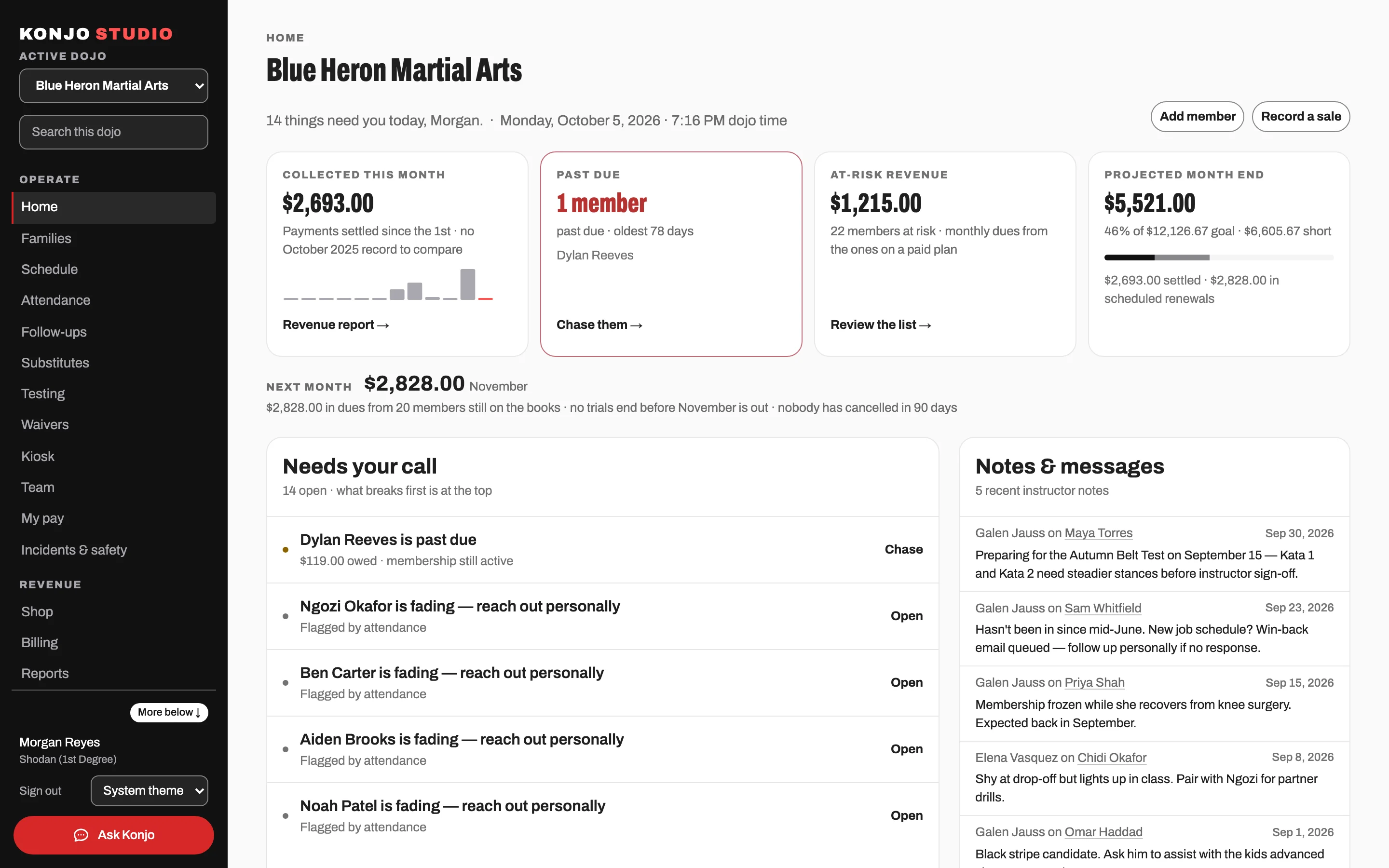
The school at a glance

Who trained this week, who has gone quiet, and what needs a decision today.

Studio homeScreenshot coming soon.

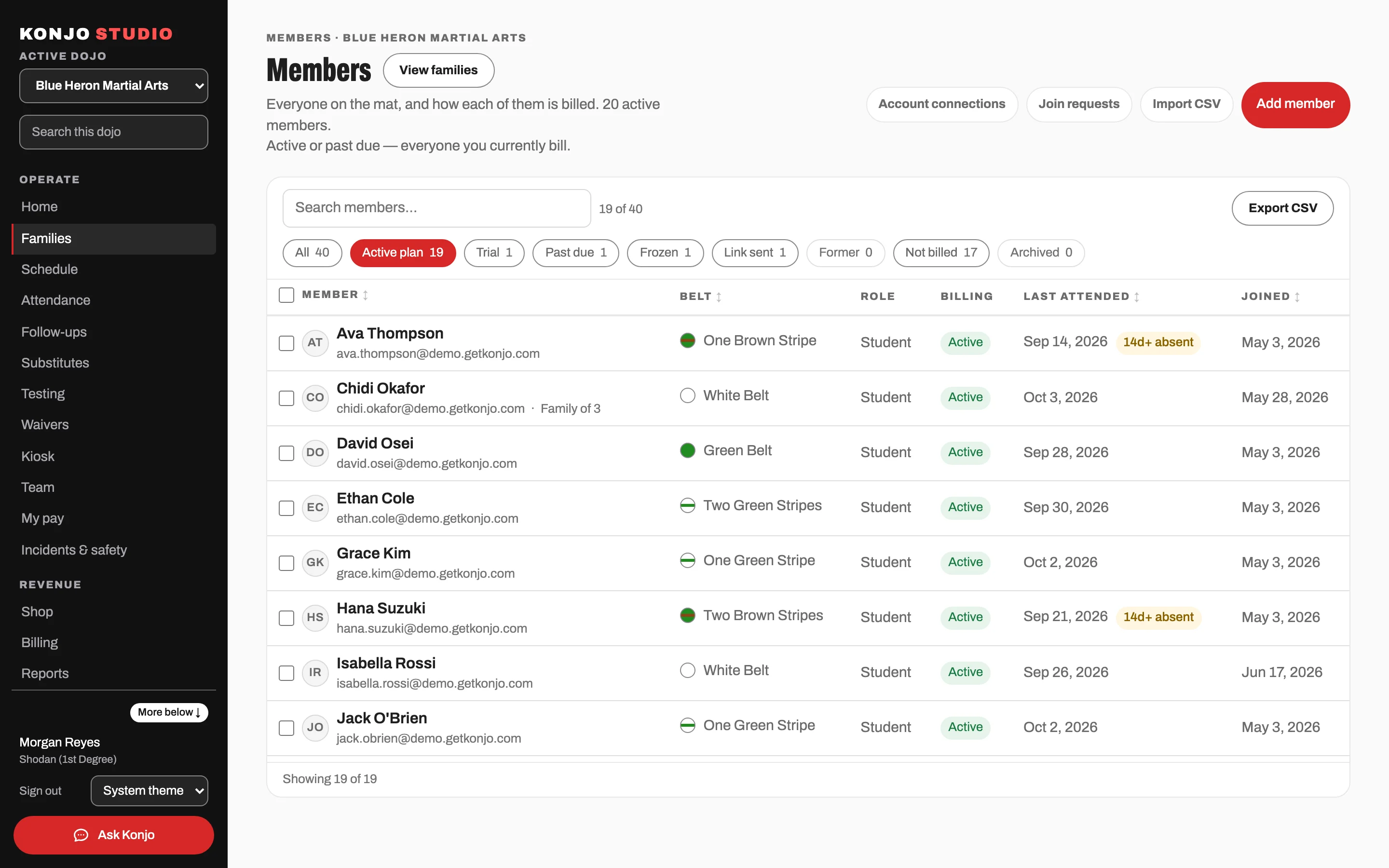
Members and families

One page per member: attendance, rank, documents and the household that pays for them.

MembersScreenshot coming soon.

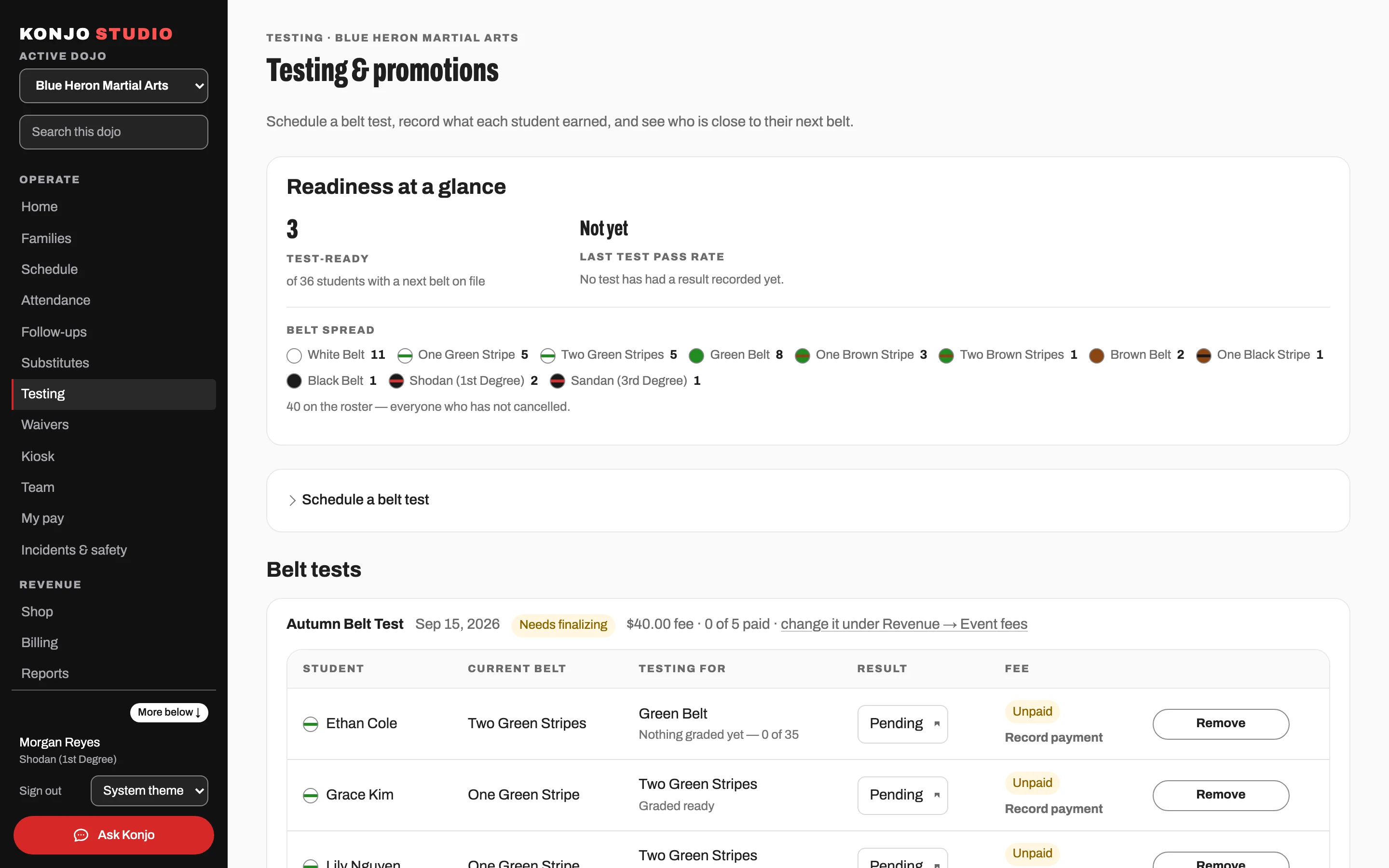
Testing that ends in a promotion

Schedule the test, build the roster from who is actually ready, record results, and promote in one pass.

TestingScreenshot coming soon.
The loop

What students log is what instructors teach from.

A class logged on Tuesday night is on Thursday’s readiness list, and on the report you open at the end of the month.

Students log real training

What they worked on, how it went, video if they want feedback on it.

Instructors see who is ready

Readiness is built from real attendance and your dojo’s real requirements, so nobody is promoted on a hunch.

Owners run on real numbers

Attendance, retention, revenue and retail come from those same records, not from a second spreadsheet someone keeps by hand.

The school keeps what it knows

Curriculum, feedback and test history stay with the dojo. The record outlasts any one instructor.

Konjo does the billing and the scheduling, and it also carries the art itself: the curriculum, the requirements, and the record of who has done what.

Switching

Switching is a project we run with you.

You don’t rebuild your school in a setup form. You send what you have, and you approve what we build from it.

Step 1

Send your exports

Members, families, schedule, ranks, curriculum — whatever your current software will give you, in whatever shape it gives it.

Step 2

We build your school

Konjo sets up your dojo section by section: people and households, programs and memberships, staff, curriculum and requirements.

Step 3

You review, approve, launch

You read every section and ask for corrections. Nothing goes live and nobody is invited until you have approved it.

Pricing

One price for the whole dojo.

No add-ons, and no higher plan that finally gives you the thing you need.

  • One flat monthly price per location.
  • Every feature is included. Nothing is held back for a higher plan.
  • A school of 40 and a school of 400 pay the same.
  • Guided Launch is a required one-time service, quoted next to your monthly price before you commit.

You get the number in writing on the demo call, with the Guided Launch fee next to it.

How we compare

Four rows owners ask first, including the two we lose.

The full comparison names each product, says where they beat us, and cites every number.

  • Includedthe product does this
  • Partialit does part of this
  • Not publishedits own pages do not answer this row, so we do not score it

Scroll sideways to see every column

Konjo compared with typical school management software, on four points.
FeatureKonjoTypical school software
Built for martial arts
Belts, curriculum, test requirements and readiness are the product.
Often a rank field on software written for fitness clubs, with belt testing kept for a higher plan.
Price published as a number
On the callThe model is published in full — one flat monthly price, every feature in it, no plan levels. The figure is quoted on the call and put in writing.
Published as a number, usually on three or more plan levels, or by how many students you have.
Getting your data back out
Full CSV export while you are a customer, and for 30 days after.
Their own pages mostly do not answer it. One vendor’s export fee is reported by a third party.
Years in business
Konjo is new. The products we compare against have been selling for years.
Most have run schools’ billing far longer than we have.

Each row here summarizes a row on the full comparison, where the same claims are named, dated and linked to the page they came from.

Questions

What owners ask first

Is Konjo only for one style?
No. Konjo is multi-style by design. Each style carries its own rank ladder, and your dojo sets its own test requirements. A student who trains two arts holds a rank in each, on one profile.
How do I move off the software I use now?
You keep it running until you approve the build. We move your members, families, schedule, ranks and curriculum across. You read every section, and you cancel the old one after you go live. Recurring billing is set up again on Stripe, and each family enters a card once. Konjo does not import saved card numbers.
Do students have to pay for the app?
No. The member app is included, for every student and every instructor. It isn’t an add-on and there is no charge per person.
Is there a phone app?
Yes. On iOS it is in Apple’s TestFlight beta today, with the App Store to follow, and Android is in testing. Anyone can also sign in at app.getkonjo.com from any browser right now.
How does billing work?
Memberships and billing run on Stripe Connect and launch with your dojo. Card processing is Stripe’s own rate, paid to Stripe. Konjo adds no markup and takes no cut. Stripe pays your dojo directly, into your own account — Konjo never holds your tuition.
What happens if I leave?
You cancel in the product before your next renewal. There is no contract and no minimum term. You keep a full CSV export of your data the whole time you are a customer, and for 30 days after you go.
For students and instructors

Already training at a Konjo dojo?

Sign in with the email your dojo has for you. Your rank, your curriculum and your training log are already there.

  • Web: sign in at app.getkonjo.com from any browser.
  • iOS: in Apple’s TestFlight beta now, App Store to follow.
  • Android: in testing.
Next step

See Konjo running with your ranks and your classes.

Tell us about your dojo. We’ll show you the app your students would carry, and the desk you would run the school from.

Three boxes and a tap, and the rest is optional. Then we set up a time. You talk to the person who built Konjo, not a sales team.

The form opens on studio.getkonjo.com. It asks about your school, takes no payment and creates no account — a person reads it and emails you to plan the launch, price included.