Konjo Studio

Run the dojo from one desk.

One browser tab for the roster, the money and the mat. It reads the same records the app writes, so the office never re-types what happened in class.

Operate

The roster, the week, the mat

Who is on the roster, who is in class, who is testing, and who is teaching. This is the part you touch every day, so it is the part that has to be fast.

  • Studio home

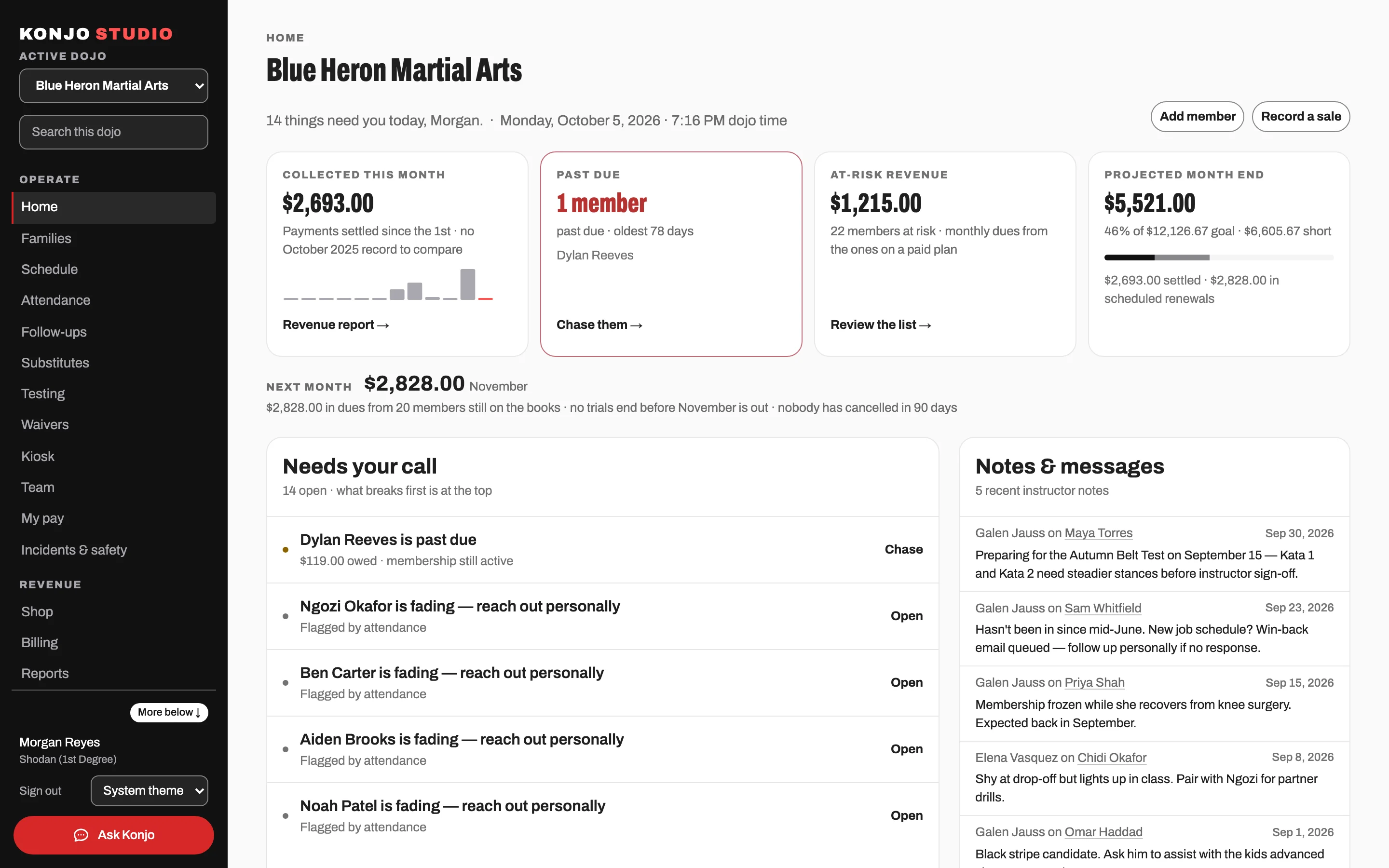
    An operational overview of the school: who trained this week, who has gone quiet, and what needs a decision today.

  • Members and families

    The roster, each member’s record, and the household that pays for them. Attendance, documents, rank and billing sit on one page.

  • Schedule

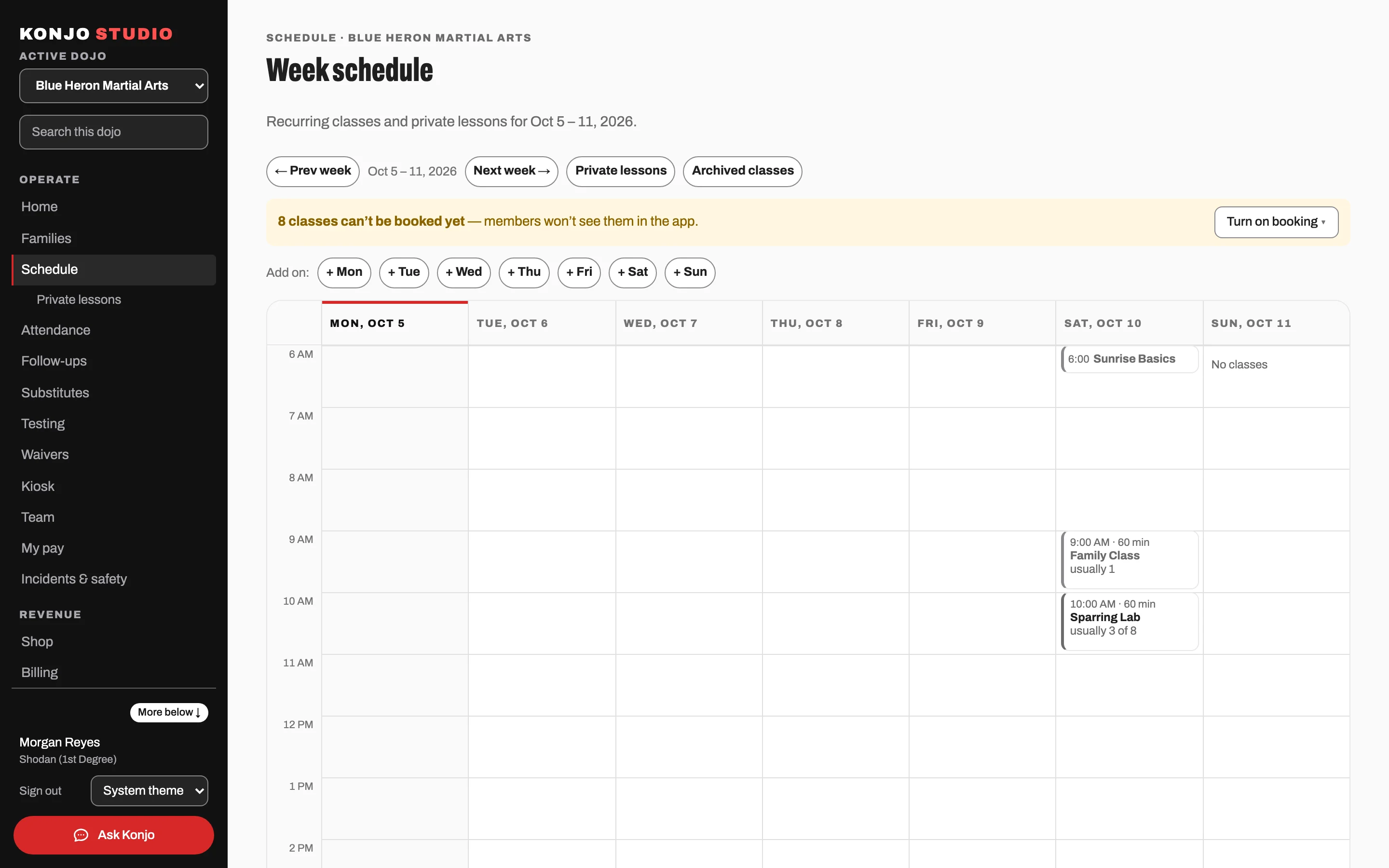
    Recurring classes with eligibility rules, capacity, waitlists, cancellations that notify the people booked, and private lessons.

  • Attendance

    Every check-in from the floor, the kiosk and the app, with per-student, per-class and school-wide views.

  • Testing and certificates

    Schedule a test, build the roster, finalize it, and promote in bulk — with a certificate at the end.

  • Waivers

    Waiver templates a parent signs by emailed link, stored against the member record.

  • Kiosk management

    Set up the tablets in your lobby, rename them, and cut one off the moment it goes missing.

  • Team

    Your instructors and staff, their roles, their availability, and who is covering what.

  • Payroll

    In preview

    Pay runs built from the classes your instructors actually taught.

  • More than one location

    Each location keeps its own roster, schedule and staff. One login moves you between them without losing your place, and reports add the locations up.

Members — the whole roster, one row each.Screenshot coming soon.
Revenue

Getting paid, and knowing where it came from

Tuition, tests, camps and the shelf by the door, in the same place as the students who paid for them.

  • Memberships and billing

    Memberships and billing run on Stripe Connect and launch with your dojo.

  • Retail and point of sale

    Products, inventory, cash and card sales at the desk, refunds, and sales attributed to the member who bought.

    A card at the counter is either a payment link the customer scans with their phone, or a card the family already keeps on file. Konjo does not drive a card reader yet.

  • Reports

    Revenue, churn risk, attendance and retail, with a QuickBooks-ready export.

Where billing stands today

Your dojo’s own Stripe account is connected during Guided Launch, and no school is billing live on it yet.

What card processing costs

Card processing is Stripe’s own rate, paid to Stripe. Konjo adds no markup and takes no cut.

Grow

Filling the mat

Where new students come from, and what happens to them in the first two weeks. Plus how you stay in touch with the students you already have.

  • Leads

    Every trial request from your public page in one funnel, with trial scheduling and a one-click convert to member.

  • Messages and automations

    Email your school or a segment of it, with automations for the messages you would otherwise forget and unsubscribe handled — and text messages where a dojo turns them on, opt-in only.

  • Public dojo page

    A page at your own address with your schedule, your instructors and a trial booking form that files a lead.

  • Public event registration

    A registration page for a camp or a tournament, free or paid, that anyone can use without an account.

The public page for Blue Heron Martial Arts, the sample dojo, in Santa Cruz: the school’s name, a Book a free trial button, a paragraph about the dojo, and the start of the week’s class times.
Blue Heron Martial Arts is the sample dojo Konjo demos run on — its schedule, instructors and trial form, as a family would see them.

Open the sample dojo page

Why it fits

Built for martial arts, not adapted to it

Ranks, tests and requirements sit in the middle of the system. The schedule, the roster and the money are arranged around them.

  • A rank ladder for every style

    Konjo is multi-style. Each style carries its own ladder, and a student who trains two arts holds a rank in each on one profile.

  • Testing is a workflow, not a checkbox

    A test is an event with a date, a roster, a result per candidate and a promotion at the end. It is a thing the school runs, so it is a thing the software runs.

  • Your curriculum, your requirements

    Head instructors set what each rank at this dojo has to show, including requirements that exist nowhere else.

  • Readiness from real training

    Who is close to their next test and what each of them is still missing, built from real requirements and real attendance.

Testing — roster, results, promotions.Screenshot coming soon.

This is the part that cannot be added later. Because a rank is a record in Konjo and not a custom field, the system can work out who is ready to test in November.

Next step

Walk your roster, your schedule and a test.

We walk your roster, a week of your schedule, and one test from the candidate list through to the promotion — on a sample dojo set up with your ranks.

A short call. Nothing to install, no contract and no minimum term.