Less paperwork for everyone in your school.
Owners run the business from Konjo Studio. Instructors teach from the Teach tab on their phone. Students and parents use the Konjo app. It is one set of records, so nothing gets typed twice.
Run the whole school from one screen.
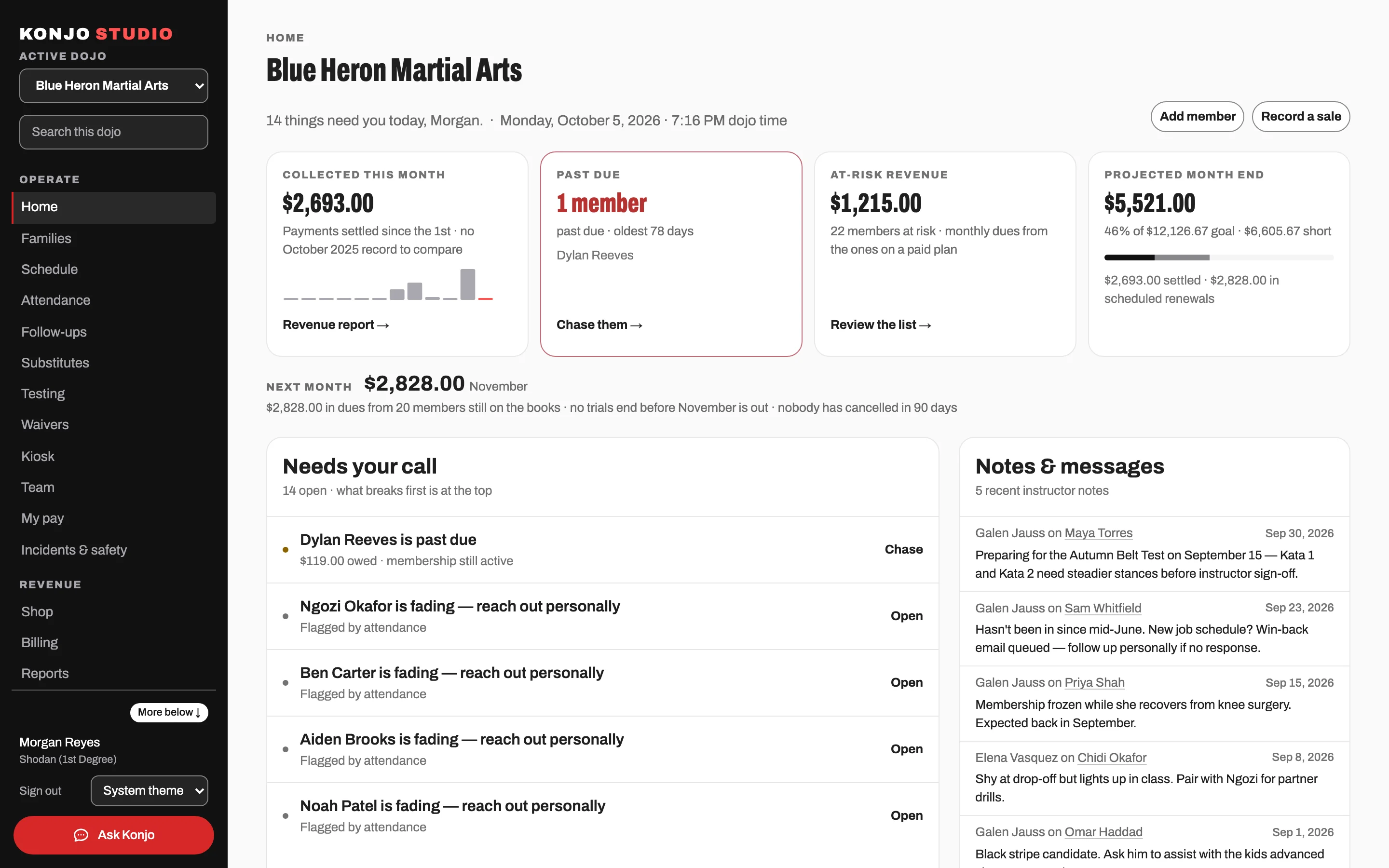
Konjo Studio is your desk. Members, money, leads, waivers and reports live in one place, and the work that needs you today comes to the top.
One roster, families included.
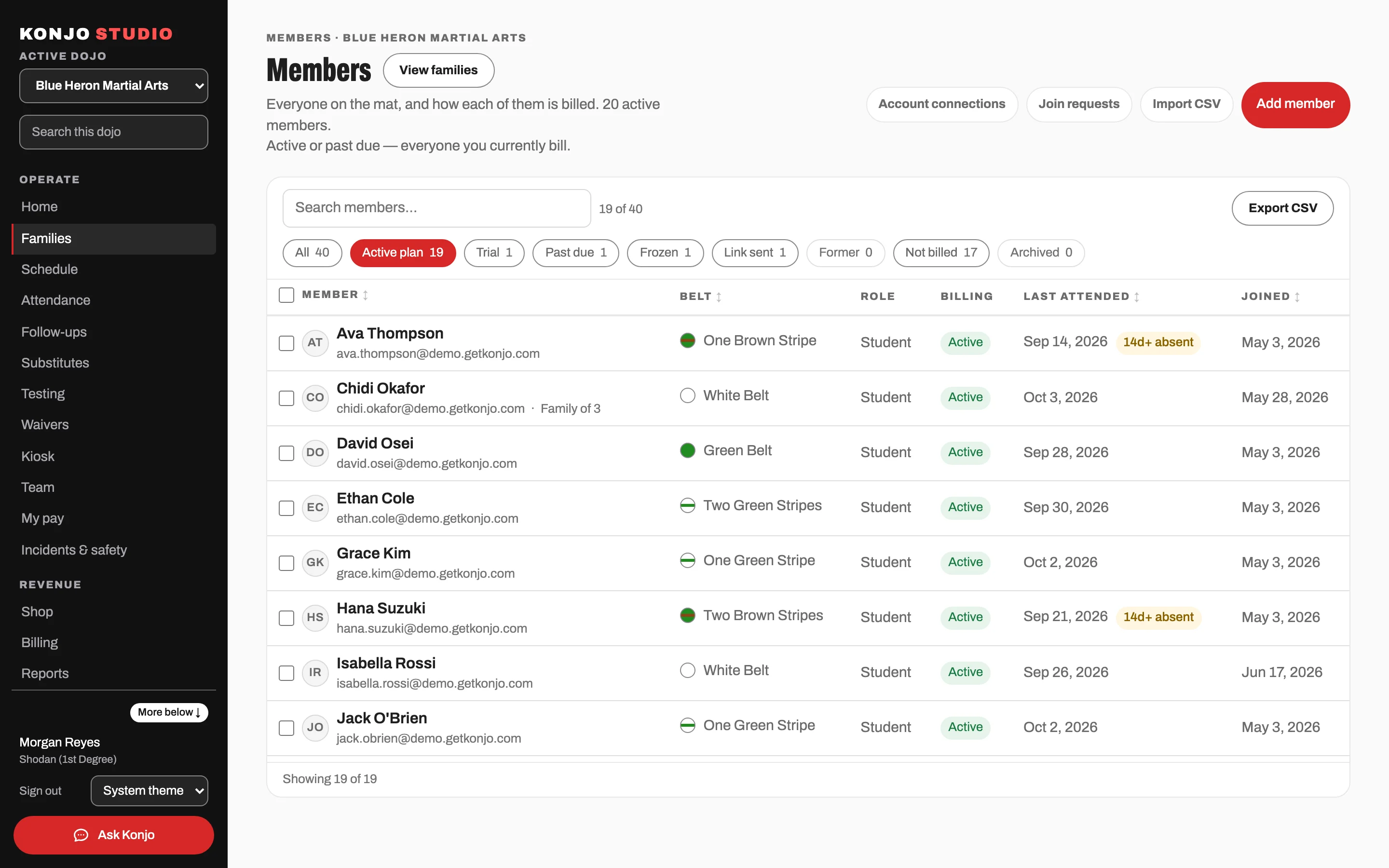
Every member has one record: rank, attendance, documents and the household that pays. Siblings share a billing account. Bring your current roster in from a spreadsheet.
Instead of a roster spreadsheet and a family binder.
Billing with no Konjo markup.
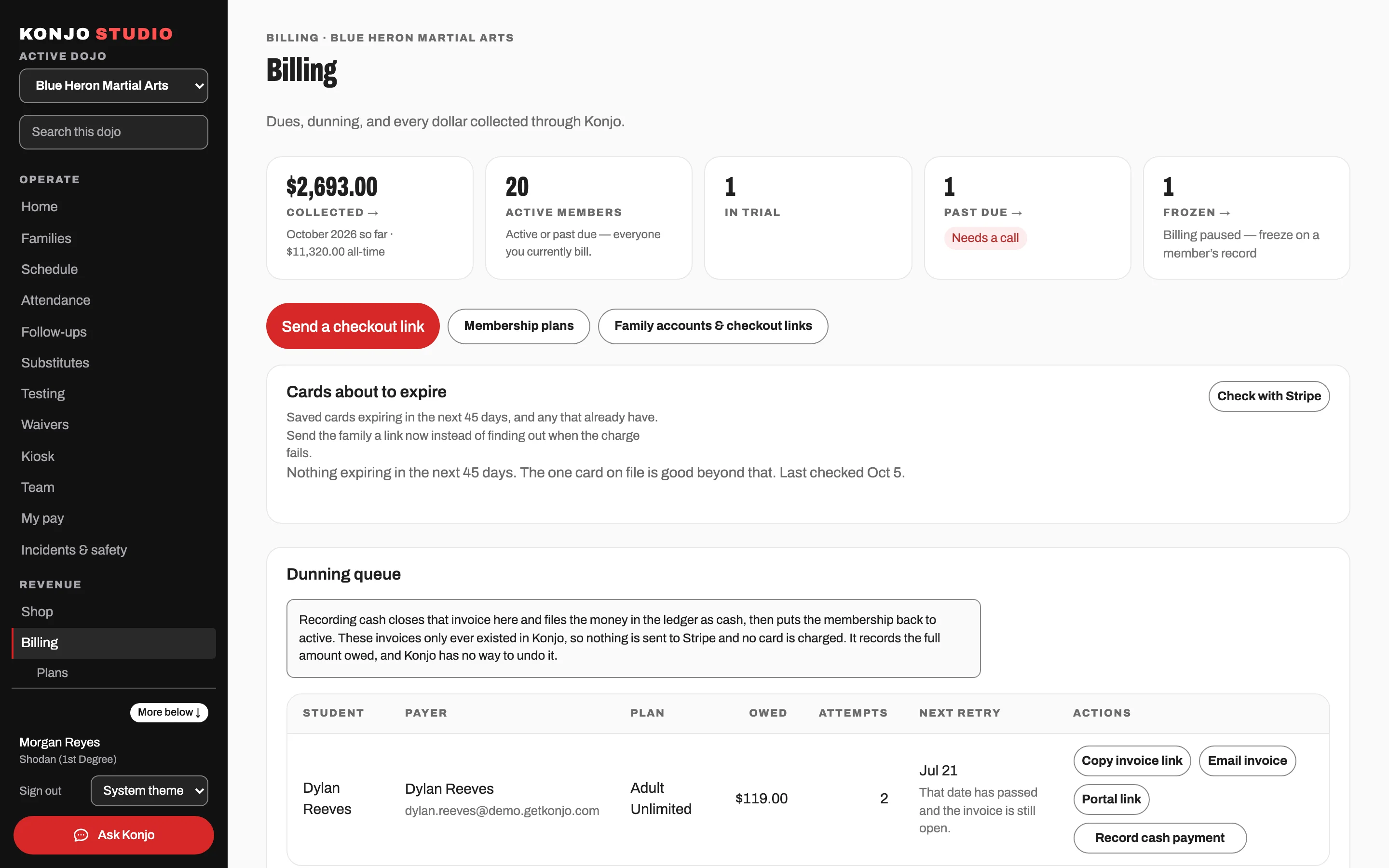
Plans, memberships, invoices and cards on file, managed in Studio. Memberships and billing run on Stripe Connect and launch with your dojo. Each dojo is the seller (merchant of record) on its own Stripe account, and Stripe processes the payments. Stripe’s fees come straight out of each payment: 2.9% + 30¢ per card payment, plus Stripe Billing’s fee on memberships. 2.9% + 30¢ is the published US card rate; Stripe’s own fee on international cards, American Express or a currency conversion can be higher. Konjo adds no fee.
Instead of a separate billing system with its own fees.
Trials that turn into members.
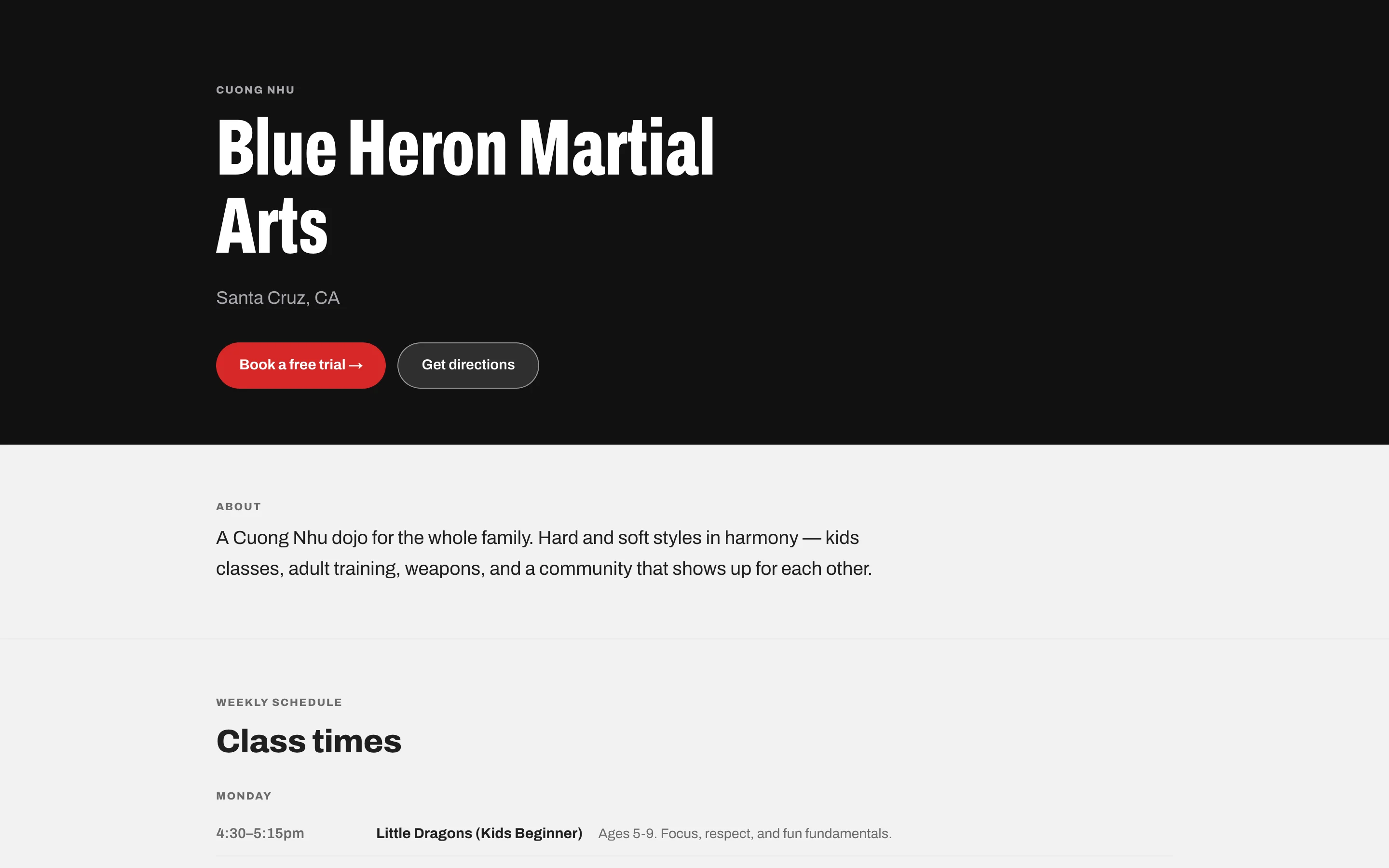
Your public dojo page shows your schedule and instructors and takes trial requests. Each request lands in Leads, where you book the trial and convert the family to members in one click.
Instead of a contact form that dumps into your inbox.
Waivers signed before the first class.
Parents sign by emailed link. The signed waiver is stored on the member’s record, and a missing one shows up in your follow-ups.
Instead of a clipboard at the front desk.
See who is drifting before they quit.
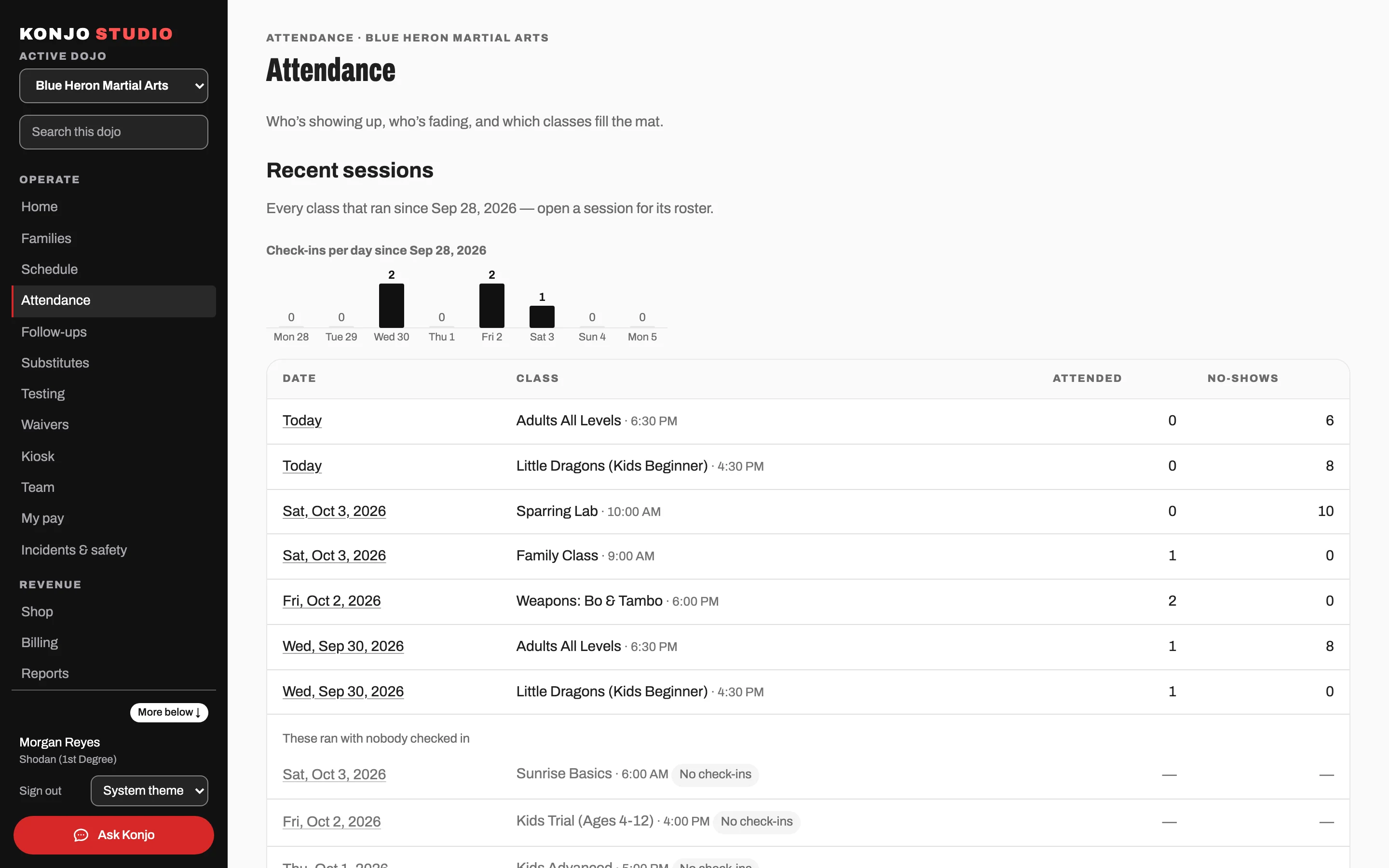
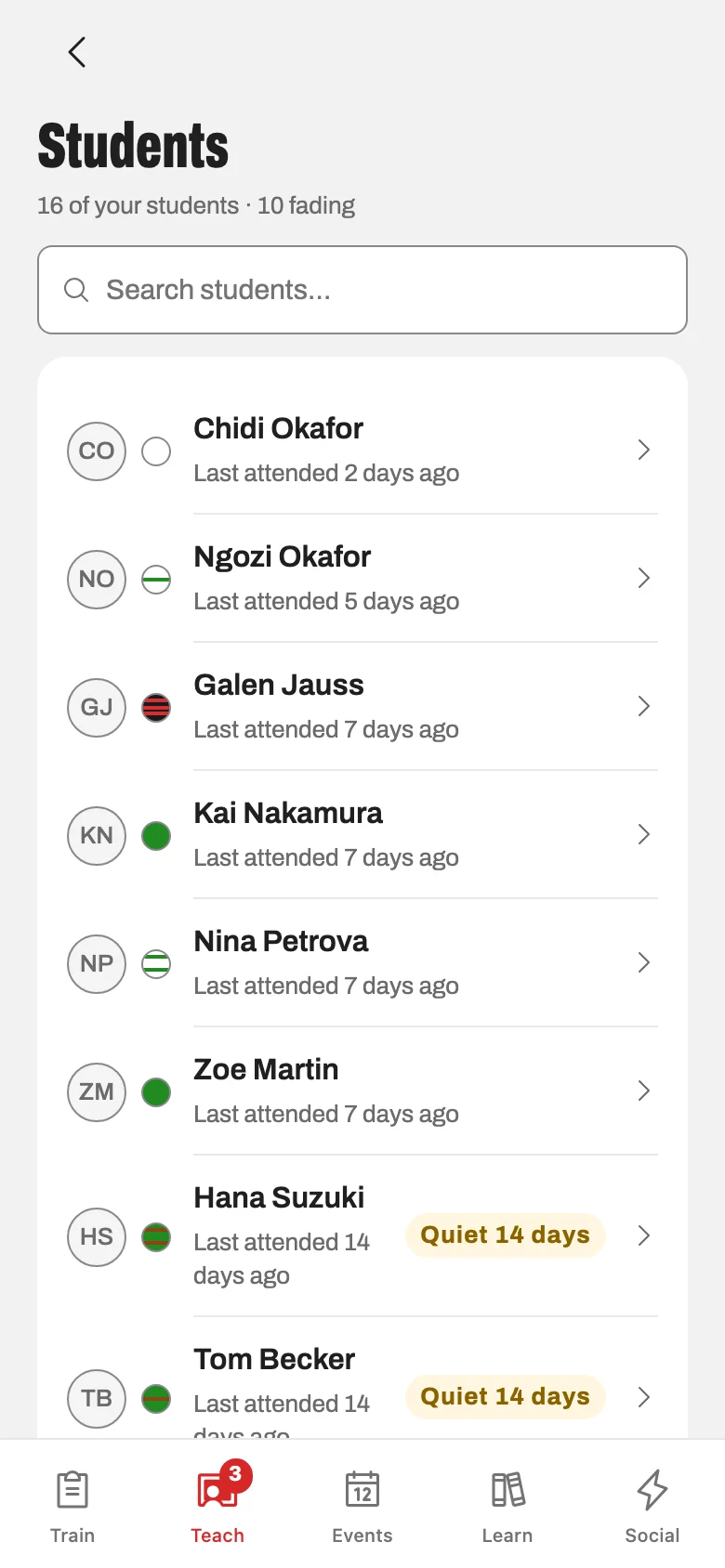
Studio home shows who trained this week and who has gone quiet. Fading students, past-due memberships, uncovered classes and new leads show up as follow-ups without anyone building a list. The churn-risk report shows the whole school.
Instead of noticing a missing face a month too late.
Messages that reach the right families.
Email the whole school or one group of it. Automations send the messages you would otherwise forget, and unsubscribes are handled for you. Text messages are opt-in, where your dojo turns them on.
Instead of copying addresses into a mail app.
Staff roles that fit the job.
Add people as owner, head instructor, instructor or front desk. Each role opens the parts of Konjo that job needs. Instructors get the Teach tab because you added them, not because of the belt they wear.
Instead of one login shared by everyone.
Reports your bookkeeper can use.
Revenue, churn risk, attendance and retail sales. Export reports and the roster as CSV files, or hand over a QuickBooks-ready file.
Instead of rebuilding the month in a spreadsheet.
Also in Studio
- A class schedule with capacity, waitlists, cancellations that notify the people booked, and private lessons.
- Belt testing: schedule the test, build the roster, promote in bulk, with a certificate at the end.
- A lobby tablet students check in on themselves, by QR code or PIN.
- Registration pages for camps and tournaments that anyone can use without an account.
- Retail at the desk: products, inventory, sales and refunds, tied to the member who bought.
Teach the class. Konjo keeps the record.
The Teach tab lives in the same app your students use. It appears for the staff you add, and puts attendance, plans and every student’s progress on the phone in their hand.
Attendance from the mat.
Class Mode checks in one student or the whole class from a phone. Tonight’s expected trials are on the same list. If the connection drops, check-ins stay on the phone and send when it is back.
Instead of a sign-in sheet someone types up later.
Tonight’s plan, in your pocket.
Build plans from blocks and breakouts, assign one to a class and share it with the other instructors. Write the debrief on the way out.
Instead of notes on an index card.
Requirements at hand.
The curriculum and your dojo’s test requirements for every rank, with video. Head instructors set what each rank has to show, including requirements unique to your school.
Instead of the binder in the office.
Know who is ready to test.
Readiness is built from your requirements and real attendance: who is close, and what each student is still missing. On test day, mark pass, fail or absent and finalize promotions in one pass.
Instead of picking candidates from memory.
Notes that follow the student.
Keep staff notes on a student’s record. After class, send feedback, homework or advice that lands in their app. When a student sends a video, reply with written coaching.
Instead of a word in the parking lot nobody remembers.
A to-do list that fills itself.
To do gathers classes that need a sub, students ready to test and the follow-ups assigned to you. Mark yourself unavailable and the sub request goes out, with reminders if nobody claims it.
Instead of a group text at 6 a.m.
Students know what to work on. Parents know what’s happening.
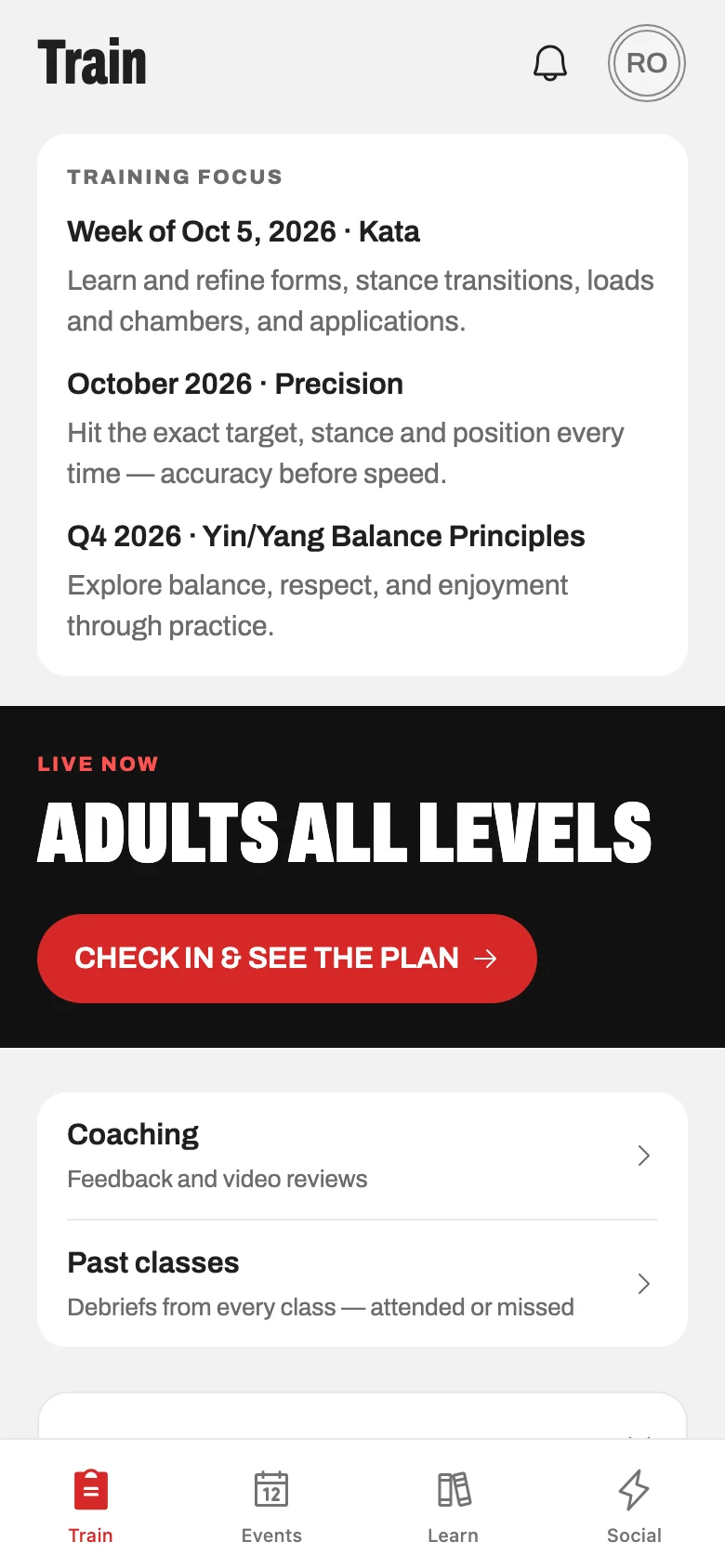
The Konjo app is included for every student. It holds their training, their curriculum and their progress toward the next rank, set up with your ranks and your curriculum.
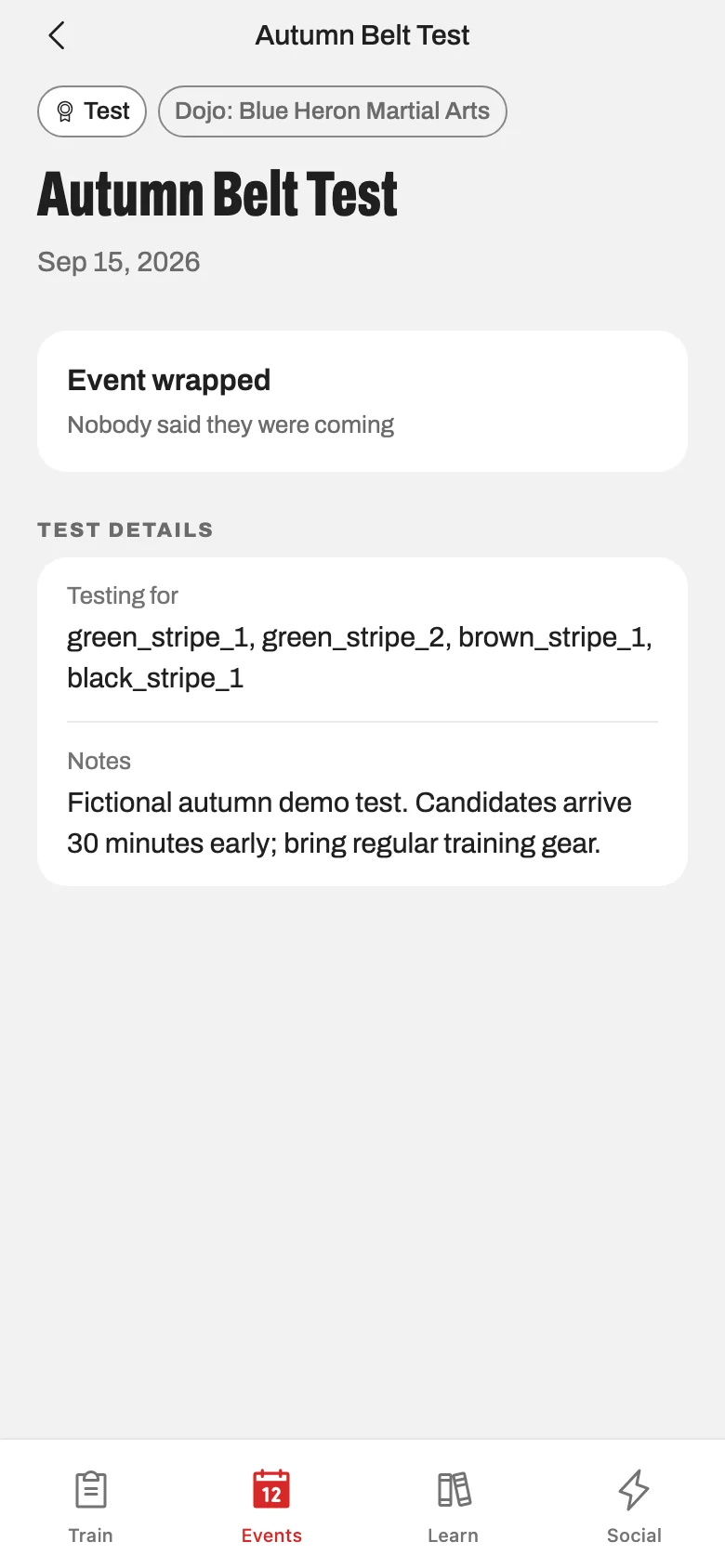
A training log that takes seconds.
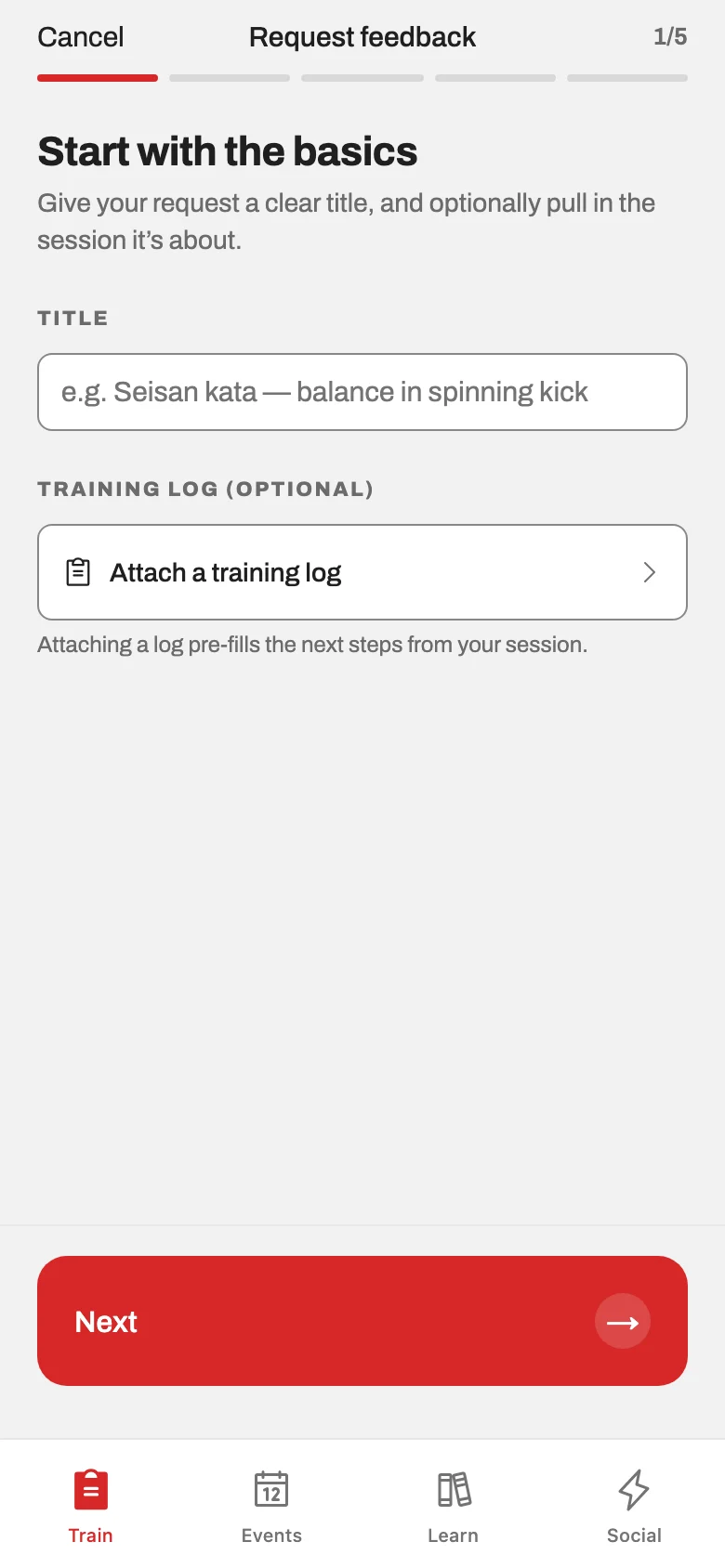
Log a class or a solo session: time, what they worked on, notes, photos or video. The history is searchable, so last month’s notes are still there.
Curriculum for their belt.
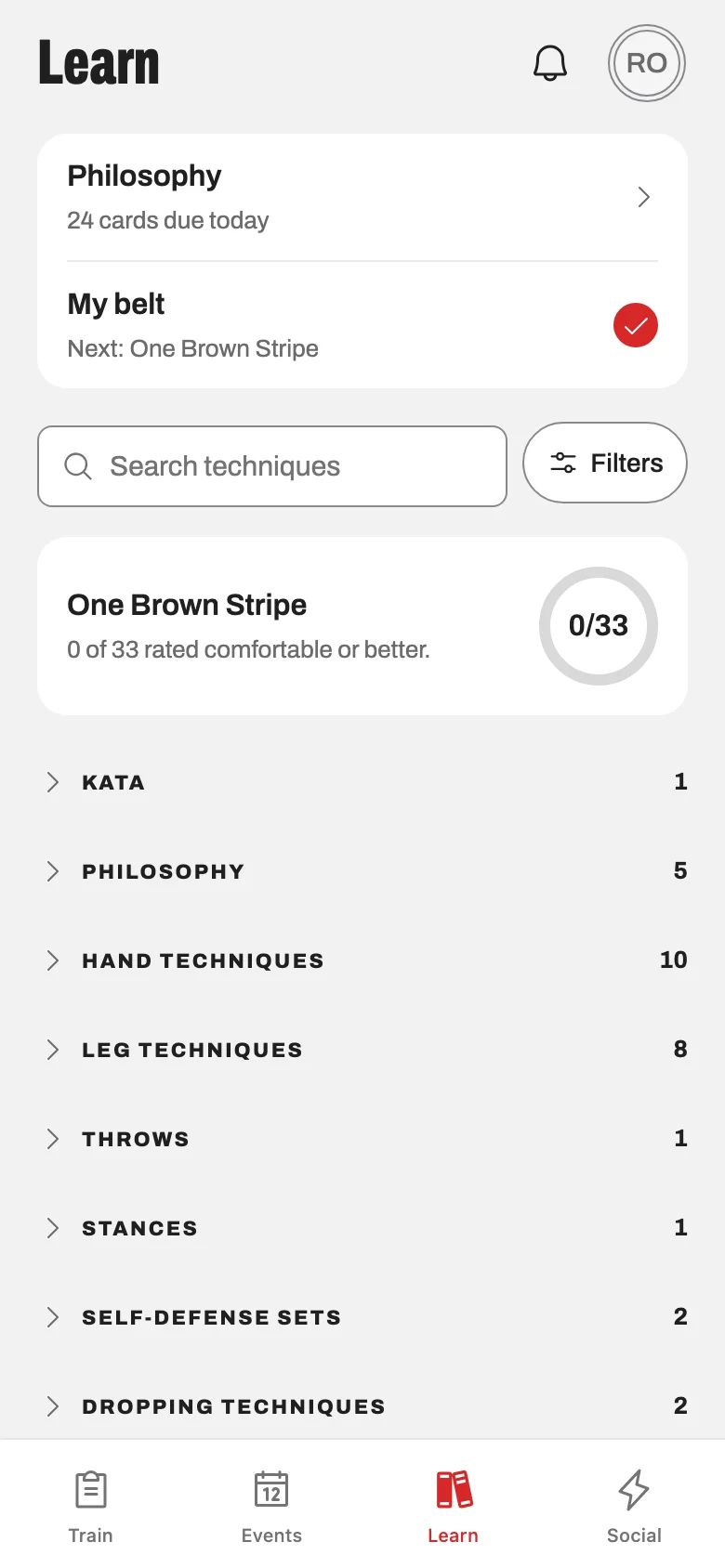
The requirements for the rank they are on, with video and search, and nothing from three ranks ahead. Flashcards with spaced repetition cover anything they recite at a test.
Progress toward the next rank.
Learn shows how many of the next rank’s requirements they feel comfortable with, counted against your dojo’s own list. Feedback and homework from instructors arrive in the app. Streaks and promotions are marked on their own.
Events and sign-ups in one place.
Camps, tests, tournaments and seminars, with schedules and RSVPs. Book a class with a cap, join the waitlist when it is full, and get a push when a spot opens. Classes and events can feed into their phone’s calendar.
One login for the whole family.
A parent manages every child from one account, including profiles for children too young for their own.
Your style, your ranks.
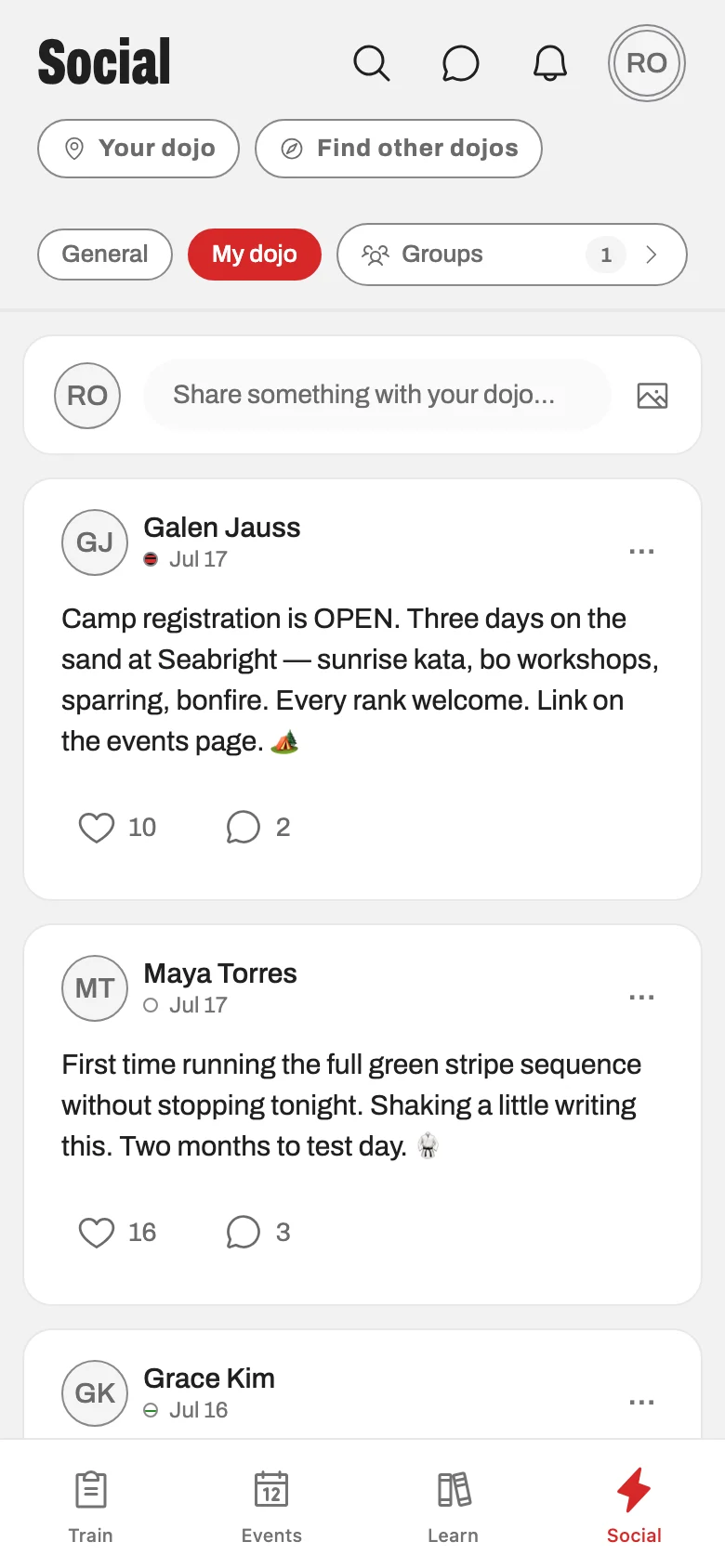
Konjo is multi-style. Ranks and curriculum follow your school’s ladder, and a student who trains two arts carries a rank in each on one profile. The dojo feed, groups and announcements keep everyone in the loop without a group chat.
Bring your biggest
admin headache.
We’ll start there. A personal walkthrough with Galen, the founder. About 30 minutes, on a sample school.
Galen replies within one business day.